Case study · 2008
RAVeN Personal Knowledge Management System
A 2008 context-based interface that unified frequently used local and online information sources instead of relying on memory and disconnected bookmarks.
- Client
- Personal project for a UT Austin information architecture/design course
- Role
- Information Architect, UX Designer, and Developer
- Governance
- Historical personal prototype
Historical context
A 2008 response to fragmented personal information
People regularly moved among local files, online services, school systems, email accounts, media libraries, and bookmarks. Memory was unreliable, while bookmarks pointed only to web locations and did not reveal the content behind them. The project explored a single interface for discovering already-known information by context.
Goal
Centralize common sources without erasing their contexts
The goal was to bring frequently used personal, home, and graduate-school information into one interface while preserving useful distinctions such as local versus remote documents, education, communication, media, and lists.
Content requirements
Mapping the personal information environment
- Documents: Local folders, remote work and school files, desktop locations, downloads, and music libraries.
- Communication: Multiple email accounts in a shared view.
- Education: Local course files and the University of Texas online repository.
- Lists: A hosted shopping list, with tasks and calendar identified as future capabilities.
- Systems: Frequently used logins and management links for devices, university services, and hosting.
Information architecture
Context pages over one undifferentiated index
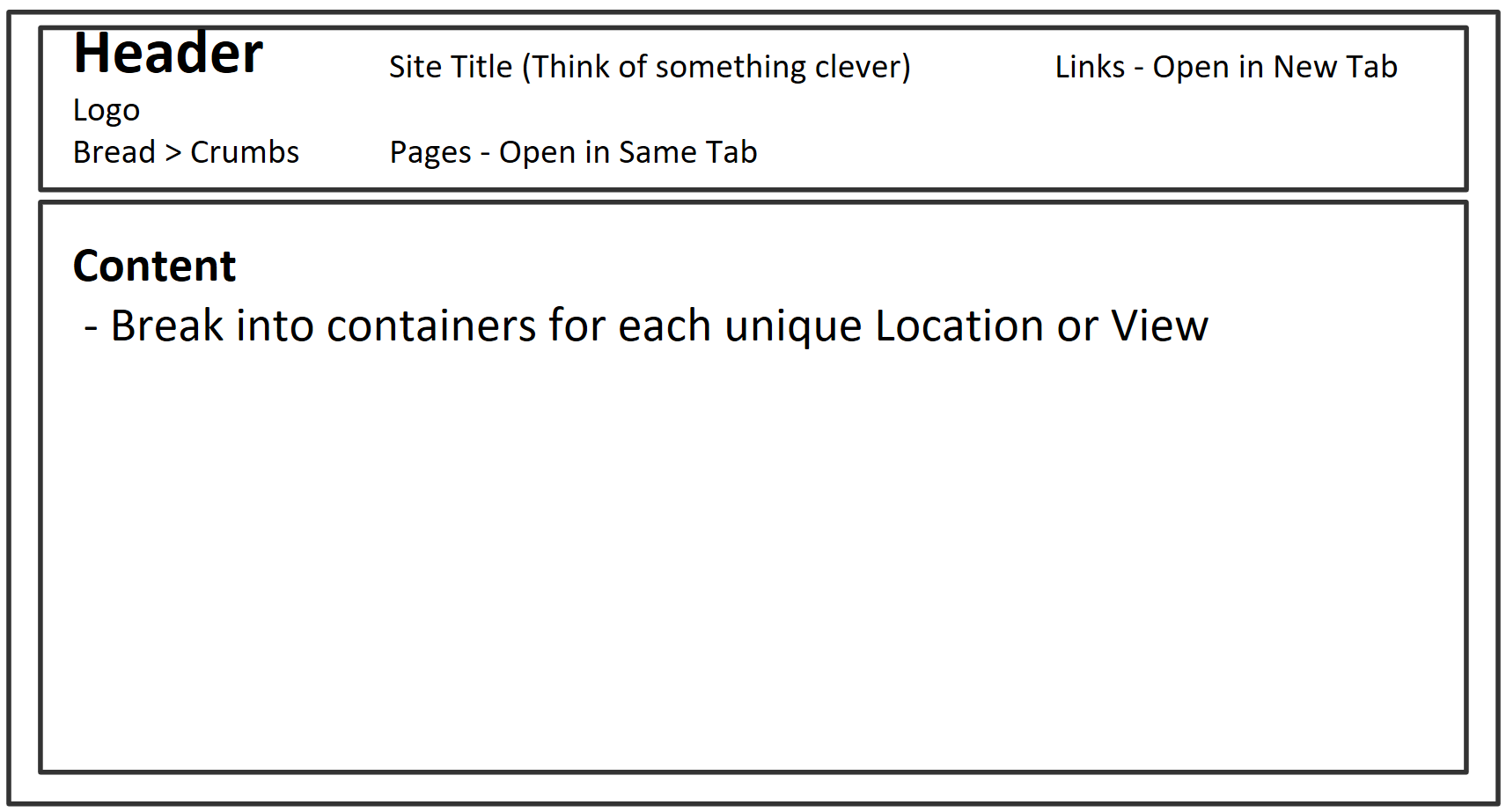
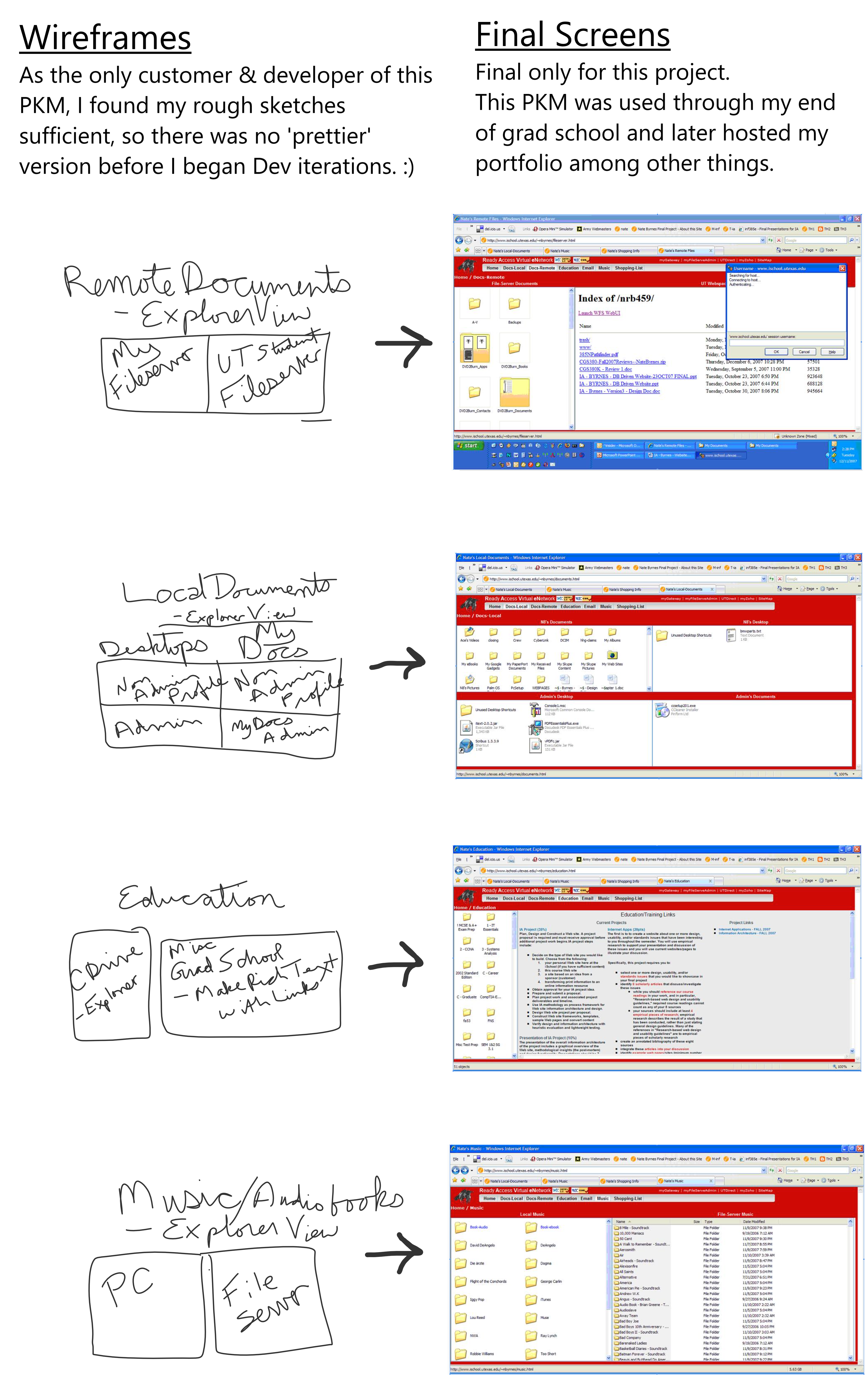
The architecture defined Home, Local Documents, Remote Documents, Education, Email, Music, Shopping List, and Site Map pages, plus direct links to frequently managed systems. Each page could display several relevant locations together.
Implementation
Nine server-side pages spanning 19 source locations
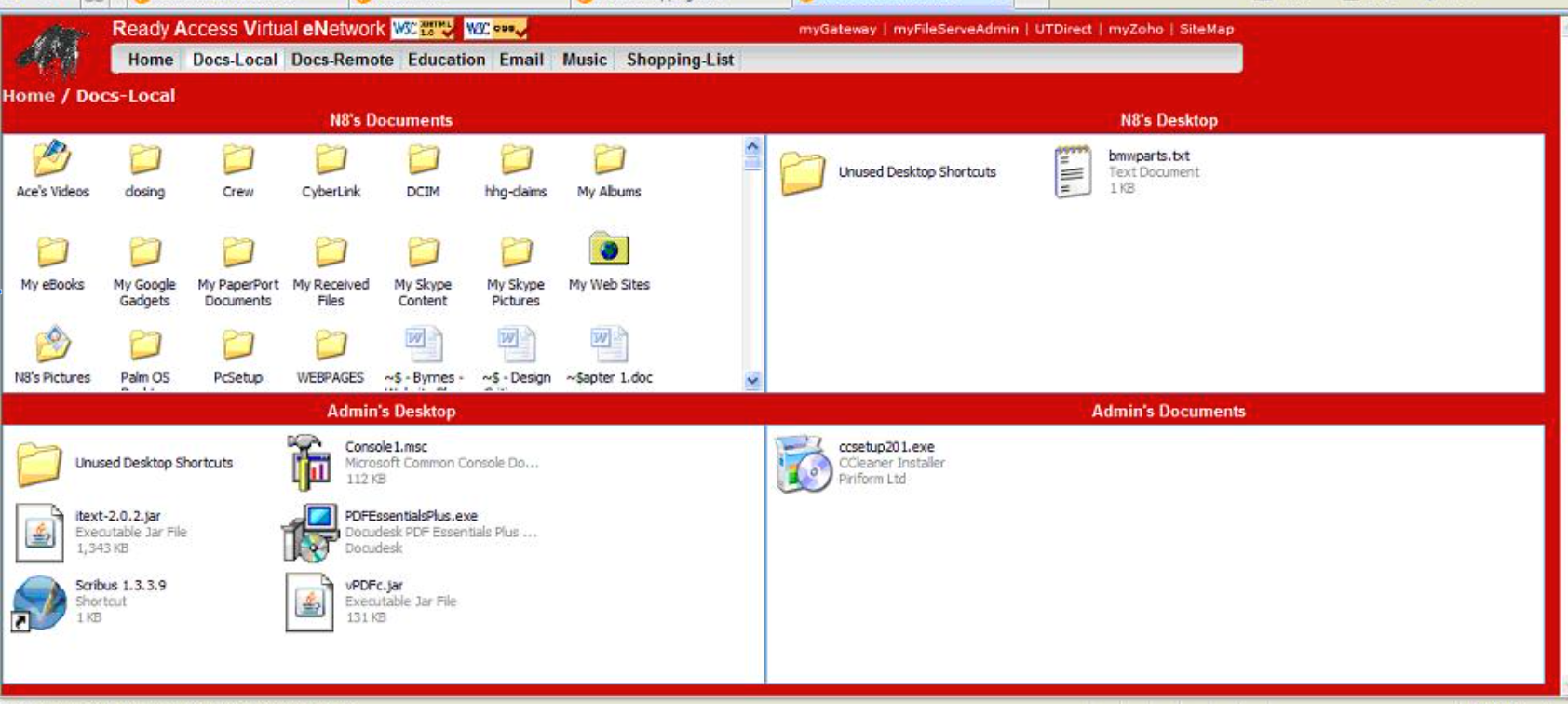
The implemented system was named Ready Access Virtual eNetwork, or RAVeN. It was built with Dreamweaver 8 plus hand-authored HTML and CSS and contained nine server-side pages, 19 source locations, and four hard-coded external links.
- Documents: Embedded Explorer views exposed local and remote folders through the browser capabilities available at the time.
- Email: University of Texas, Gmail, and Yahoo accounts could be viewed on one screen.
- Education: Local course files and university-hosted web material appeared within one context.
- Music and lists: Desktop and file-server music could launch in Winamp, while Zoho hosted the shopping list.
Result
A first personal knowledge environment
RAVeN centralized home and graduate-school sources and made several locations visible within their relevant contexts. It reduced dependence on remembering paths or repeatedly opening separate systems to determine what information they contained.
Reflection
The integration idea endured beyond the technology
The visual treatment and browser embedding reflect 2008 technology and are not representative of current design practice. The enduring idea is a source-aware interface that supports discovery across personal contexts—an idea that can now be revisited with secure connectors, semantic search, provenance, permissions, and accessible interaction.
Future direction
A private MyKMHub personal knowledge workspace
A future MyKMHub tool could help an authenticated user find and work across authorized local and online content while keeping source, ownership, freshness, and access boundaries visible. This is a roadmap concept, not a currently working application.