Case study · 2026
AI Image Creation Wizard
A guided workflow that helps people express visual intent without first mastering prompt engineering or composition terminology.
- Client
- AI Image Creators
- Role
- Product Designer, HCD/UX Designer, Interaction Designer, and Front-End Prototyper
- Governance
- Accessibility-first interaction design with an engine-independent prompt structure
The problem
Image generators often assume hidden expertise
Many image-generation interfaces expect people to already understand prompting, composition, lighting, style vocabulary, and model-specific constraints. That creates cognitive load and makes trial and error the default workflow.
Product goal
Turn prompt creation into a guided design process
The goal was to make visual intent easier to articulate through a structured sequence that teaches useful prompt patterns while producing something ready to reuse.
The solution
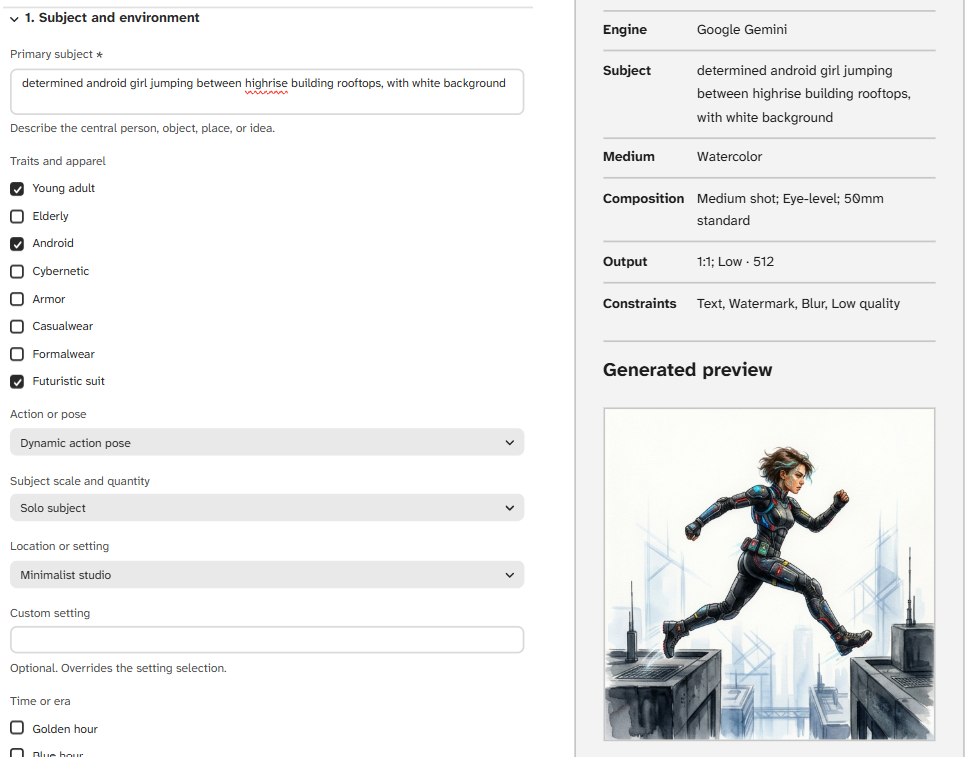
Six stages from subject to iteration
- Subject and action: Define the focal content and what it is doing.
- Setting and mood: Establish the environment and emotional tone.
- Style and medium: Choose a visual language and add meaningful style details.
- Composition and lighting: Describe framing, focus, depth, and illumination.
- Quality and constraints: Set detail expectations and common problems to avoid.
- Seed and iteration: Record stable references and what to change next.
Key features
Immediate feedback without model lock-in
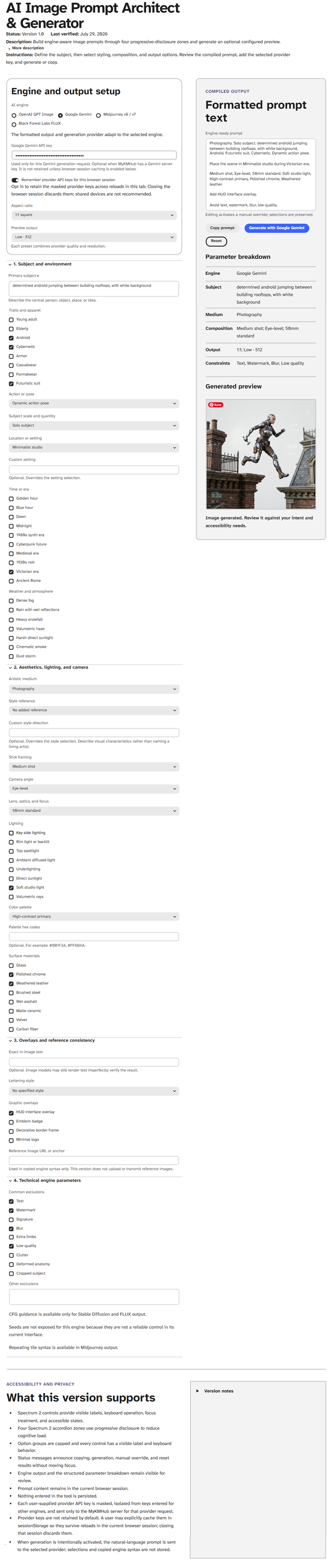
- A compiled prompt updates as source choices change.
- Shortcuts cover blur, distortion, unwanted text, watermarks, anatomy errors, and visual clutter.
- Seed references and iteration notes make experimentation easier to track.
- The prompt can be copied into the image system appropriate to the project.
Accessibility
A workflow designed to reduce interaction and cognitive barriers
- Semantic structure and visible labels identify every control.
- All workflow actions support keyboard use and visible focus.
- Status changes are announced without unexpectedly moving focus.
- Readable typography, strong contrast, and named steps support scanning and orientation.
Implementation
A local, engine-independent prototype
The original prototype used vanilla HTML, Tailwind CSS, and JavaScript. The MyKMHub version modernizes the interaction with React and Spectrum 2 while keeping the prompt logic local and independent of a particular image-generation engine.
Impact
More intentional prompts and faster learning
- People can build prompts without memorizing a specialized syntax.
- The workflow exposes reusable visual-design patterns rather than hiding them.
- Structured iteration reduces repeated guessing and makes results easier to compare.
Future concept
From prompt assembler to visual intent compiler
A future Visual Intent Compiler could identify conflicting choices, apply readability and composition rules, explain its recommendations, and translate stable intent into model-specific prompt formats.